Deferit: Split Bills, Pay in 4
- 4.5
- Rating
- 1.00M
- Installs
- Free
- Price

 Analysis by App-foxy
When a bill arrives before payday, the difficult part is often not the amount itself but the timing. That is the situation I associate most closely with Deferit: Split Bills, Pay in 4, a free finance app from Deferit. I tested it with that practical question in mind: can it make a short-term cash-flow problem easier without turning an ordinary bill into a confusing financial task?
My overall impression is positive, but conditional. The app is designed to divide eligible bills into four smaller payments without interest, which can be useful when the money is coming soon but not available today. It is not a budgeting system, an emergency fund, or a way to make an unaffordable bill disappear. The value is in changing the timing of the payment, and that distinction matters.
The app is available to an Everyone audience and is free to install. It runs on Android starting with version 7.0, and the current version is 2.0.109. Its listing shows a 4.5 average from around 18 thousand ratings, with more than 500 thousand installs. Those figures suggest that many people find the basic idea practical, but they do not remove the need to check each bill carefully before committing to a payment schedule.
You May Also Like

 Blood Strike: 2.5 Anniversary
Blood Strike’s Loadouts Turn Every Drop Into a Tactical Gamble
A close look at Blood Strike’s custom loadouts: how fast access to signature weapons reshapes its battle royale rhythm, rewards preparation, and narrows the gap between fights.

 Pandora - Music & Podcasts
Pandora’s Music Is Easy to Start, but Harder to Recover
Pandora’s strength is its low-effort path from a seed to a station. Its weak spot is how much confidence it asks you to place in connection, setup, and quiet recovery.

 8 Ball Pool
 Is Built on Rivalries, Rematches, and Routine
A close look at the rivalries, rematches, shared routines, and unanswered safety questions that turn a quick pool match into a persistent mobile community.

 Samsung Music
’s Quiet Strength Is Playing What You Already Own
Its reach comes less from spectacle than from dependable access to a personal library. That simplicity is both the app’s strongest retention engine and its ceiling.

 AccuWeather: Weather Radar
AccuWeather Review: A Quick, Clear Forecast for Everyday Decisions
For everyday plans, the best forecast is the one you can understand quickly. AccuWeather makes rain timing, radar, and local conditions easy to act on, with a few trade-offs.

 Hill Climb Racing
Why Hill Climb Racing Still Turns Crashes Into One More Run
A tiny car, a bumpy hill and one more upgrade: Hill Climb Racing keeps resurfacing because its simple chaos makes every near-miss feel personal.
More From Our News Desk



From an unexpected bill to a manageable payment plan
I’d start by checking whether the bill is both accurate and genuinely urgent; a split plan is most useful when the timing is awkward, not when the charge itself is in doubt. In this section, I look at how to turn that quick decision into a manageable routine, while keeping the later payments visible before moving on to the practical steps that follow.
The starting condition: timing is the real problem
I would consider this app when a regular household bill is due now, while my income is expected in stages over the next few weeks. A utility bill, phone bill, insurance payment, or another recurring expense can create that kind of gap. Paying the whole amount immediately may leave too little for groceries or transport, while delaying the bill may create a separate problem.
That is where the four-part structure makes sense. Instead of treating the bill as one large outgoing payment, I can look at it as a series of smaller commitments. The important mental adjustment is that the app does not lower the underlying cost. It only spreads the repayment. I would use it for a temporary mismatch between income and expenses, not for a bill that I already know I cannot cover over the full schedule.
This makes the app more suitable for someone with reasonably predictable income than for someone whose next few paydays are uncertain. If my hours change every week or another major expense is likely to arrive soon, a smaller first payment can feel helpful while the later payments become stressful. The plan needs to be judged as a complete commitment, not just by asking whether the first instalment looks affordable.
Step one: prepare the bill before opening the app
My first useful habit would be to have the bill in front of me before starting. I would check the total, the due date, the account or reference details, and whether the bill is already overdue. This avoids the common mistake of beginning with only a vague memory of the amount and then entering information incorrectly.
I would also decide whether the bill is genuinely suitable for short-term splitting. A one-off purchase that I could postpone may not need this kind of arrangement at all. A recurring household bill is a clearer use case because the payment has a defined purpose and the timing problem is easier to understand.
One practical tip is to compare the proposed four payments with the dates of my actual income, rather than with a general monthly budget. A plan can look comfortable in total and still be awkward if two instalments fall before payday. Looking at the calendar first gives me a better chance of spotting that mismatch before I confirm anything.
Step two: enter the bill and review the schedule
The central workflow is straightforward in concept: I provide the bill details, review how the amount is divided, and decide whether to continue. The most important screen is not the first one that makes the payment feel smaller. It is the schedule that shows what I will owe afterward.
I would slow down at this point and verify every displayed detail. The bill amount should match the document, and the payment dates should fit the money I expect to receive. I would also keep a note of the future instalments in my own calendar. Relying entirely on memory is a weak approach, especially when several household payments are already leaving the account.
The app’s interest-free positioning is appealing because it makes the calculation easier to understand: the split is about timing rather than adding interest to the bill. Even so, “no interest” should not be interpreted as “no responsibility.” A missed or poorly planned payment can still create financial pressure, and the exact terms shown during the process deserve more attention than the short description alone.
Step three: make the first payment without losing sight of the rest
Once the bill is arranged, the first payment is the point at which the immediate pressure is reduced. In a realistic example, imagine that a household bill arrives just before payday and the full amount would force me to postpone groceries. Paying one part now could protect that week’s essentials while leaving the remaining parts for the next payment dates.
The handoff here is important. The app may help organize the split, but I still need to manage the money that will fund the later payments. I would move the future amounts into a separate mental or physical budget category immediately. Treating those funds as available spending would defeat the purpose of the arrangement.
This is one of the less obvious trade-offs: the app can improve short-term breathing room while reducing flexibility later. If I use it for several bills at once, each individual plan may look manageable, but the combined future commitments can become a second rent-like burden. I would therefore use it selectively and keep a running total of all upcoming instalments outside the app.
The handoffs between the app, the biller, and me
A bill-splitting service sits between the user and the original biller, so the process is not only about tapping through screens. There is a handoff from the bill document to the app, from the app to the payment arrangement, and from that arrangement back to my own household budget. Each handoff is a place where a small error can matter.
I would pay particular attention to reference numbers and account information. A typo can send a payment into a correction process or leave the original bill looking unpaid. Even when the app makes the transaction easier, I would retain the bill and check the biller’s account afterward rather than assuming that a successful action inside the app automatically solves every administrative detail.
Another useful habit is to keep the original due date visible. Splitting the repayment does not mean I can ignore the bill’s normal timing. I want to understand whether the service is handling the bill according to the arrangement and whether any message from the biller still requires action. This is not a reason to avoid the app; it is simply the kind of handoff that deserves verification.
The app is also not a replacement for direct communication with a provider when a bill is disputed. If the amount is wrong, the service was cancelled, or the account has a billing issue, I would contact the biller first or alongside the app’s process. Financing a disputed charge can make the situation harder to unwind.
What the result feels like in everyday use
The best outcome is modest but meaningful: I get through a tight week without paying the entire bill at once, and I know exactly what the next payments will require. That can be useful for a person whose income is stable but paid on a schedule that does not line up neatly with every due date.
I also like that the concept is easier to explain than a revolving credit balance. A fixed number of payments gives the arrangement a visible endpoint, while the interest-free structure makes the total easier to compare with the original bill. For someone who dislikes complicated credit products, that simplicity may be the main attraction.
However, I would not call the result “extra money.” The app improves cash flow today by reserving money from later. If my next paychecks are already committed to rent, food, transport, or debt repayments, the split may only move the pressure forward. The strongest result comes when the problem is temporary timing, not a permanent gap between income and spending.
For that reason, I would use the app alongside a basic bill calendar. I would record the original bill, the first payment, and every remaining instalment. This creates a second view of the commitment and makes it easier to see whether several small arrangements are accumulating. It is a simple workflow improvement, but it prevents the app from becoming a blind spot in my wider budget.
Where the flow breaks: affordability and overlapping plans
The first major failure point is affordability. A four-part schedule can make a large bill appear less intimidating, but the total still has to be paid. If I need to borrow again to cover the second or third payment, the arrangement is no longer solving a timing issue. It is extending a shortage.
The second failure point is overlap. Using the service for one bill may be reasonable; using it for every bill can create a crowded calendar of deductions. The app’s usefulness decreases as the number of active commitments becomes harder to track. I would rather use it for a single high-priority bill than spread several ordinary expenses at the same time.
The third issue is that a split payment may not be the best alternative in every situation. If the biller offers a genuinely free due-date change or an instalment plan directly, dealing with the biller may be simpler because there is no intermediary handoff. If I have enough savings, paying the bill in full is cleaner. If I need a longer repayment period, a different financial product may fit better, although it should be compared carefully for total cost and risk.
I would also skip this app when I am trying to cover discretionary spending rather than an essential bill. Splitting a necessary payment during a short cash-flow gap is one thing; using the same mechanism to justify an impulse purchase is another. The convenience can make a purchase feel less immediate, which is precisely why I would want a clear rule before using it.
Who will get the most from Deferit?
I think the app is most useful for people who have predictable income, understand their upcoming expenses, and need a little flexibility around bill timing. It may suit someone paid weekly or fortnightly when a monthly bill arrives at an inconvenient point. It can also help a household protect essential spending during a short-lived timing mismatch.
The app is less suitable for anyone who cannot confidently identify where the later payments will come from. It is also a poor fit for someone who already has multiple repayment plans, frequently misses due dates, or wants a tool that builds a complete long-term budget. The four-payment format is focused and practical, not comprehensive.
My advice would be to decide the maximum number of active plans before starting, then stick to that limit. I would also avoid arranging a bill until I have checked the next several income dates. These two steps turn the service from an impulse-based relief button into a deliberate cash-flow tool.
My final assessment after following the full workflow
Deferit: Split Bills, Pay in 4 does one job clearly: it can divide a bill into four smaller, interest-free payments when the immediate problem is timing. I find that narrower purpose more useful than pretending it is a general solution for financial difficulty. The workflow is easiest to understand when I begin with a real bill, inspect the complete schedule, verify the handoff, and record the future commitments in my own budget.
Deferit, developed by Deferit, has the approachable feel I would expect from a free finance app aimed at everyday bill management. Its Everyone content rating also makes it broadly accessible, while the Android compatibility starting at version 7.0 covers older devices. The strong user response shown by its 4.5 average and substantial install base adds reassurance, but my decision would still depend on the specific bill and my ability to meet every scheduled payment.
My recommendation is to use it as a short-term timing tool, never as permission to spend beyond your means. If I can name the source of each later payment and keep the plan count under control, the app can make an awkward week easier. If I cannot, paying the bill directly, negotiating with the biller, or waiting on the purchase is the safer choice.
FAQs for Deferit: Split Bills, Pay in 4
01What is Deferit: Split Bills, Pay in 4?
Deferit is an app designed to help users manage their bills more effectively by allowing them to split payments into four equal, interest-free installments. This can be particularly useful for individuals looking to better manage their cash flow without incurring additional fees typically associated with credit options.
02How does Deferit work for bill payments?
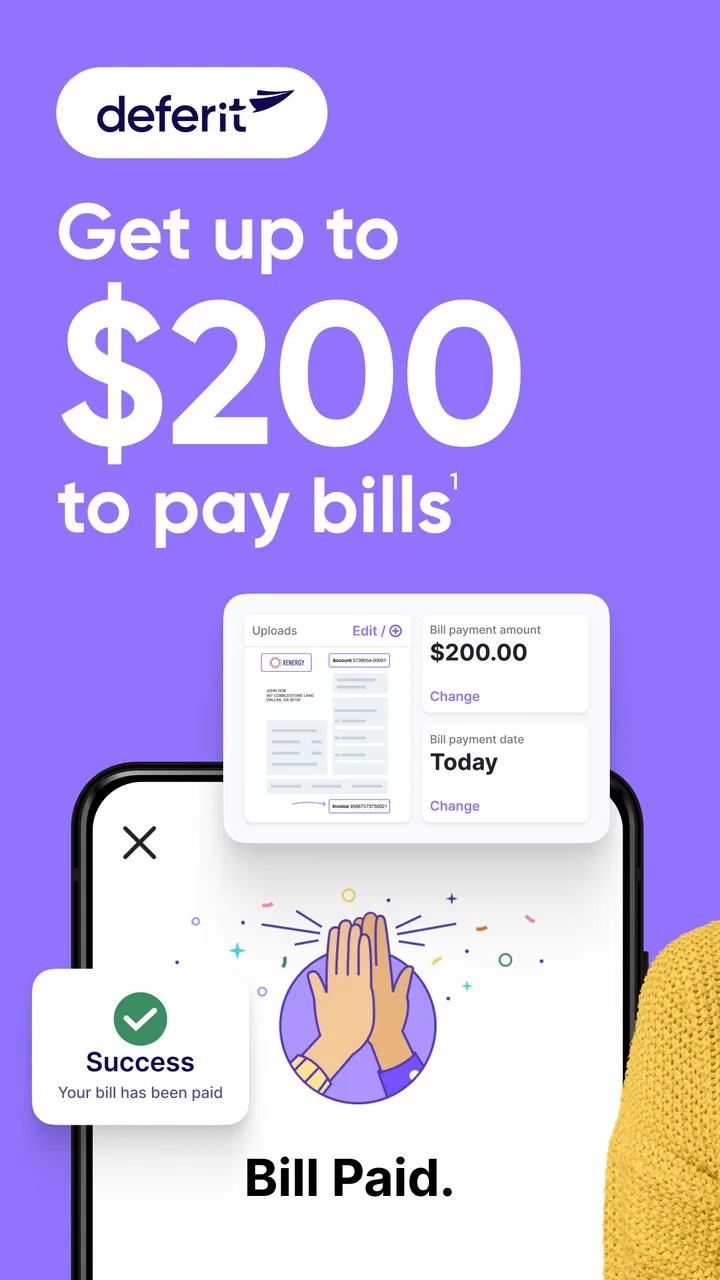
Deferit works by users uploading their bills to the app. Once a bill is approved, Deferit pays the bill on the user’s behalf. Users then repay Deferit in four equal installments. This approach provides flexibility and helps avoid late fees, making it easier to manage monthly expenses.
03Is there a fee to use Deferit?
While Deferit offers interest-free payments, there is a small monthly subscription fee for using the service. This fee allows users to access the convenience of splitting bill payments without incurring high interest rates or additional charges typically found in other credit options.
04Can Deferit affect my credit score?
Using Deferit does not directly impact your credit score, as the app does not report payment activities to credit bureaus. This makes it a safer alternative for those who want to avoid potential negative effects on their credit history while managing their bill payments more effectively.
05What types of bills can I pay with Deferit?
Deferit supports a wide range of bill types, including utility bills, rent, and insurance premiums. However, it’s important to check within the app to ensure your specific bill is eligible for payment through Deferit. This flexibility makes it a versatile tool for managing various monthly expenses.
Pros
- Easy installment payment options.
- No interest fees on payments.
- User-friendly interface.
- Quick bill scanning feature.
- Supports multiple bill types.
Cons
- Limited to certain bill types.
- Requires linking to bank account.
- May not support all providers.
- Potential for late fees.
- No live customer support chat.

Deferit: Split Bills, Pay in 4
Gallery